
Mastering Elastic Network Interfaces (ENIs) in AWS

Core ENI Concepts
ENI = Virtual Network Card
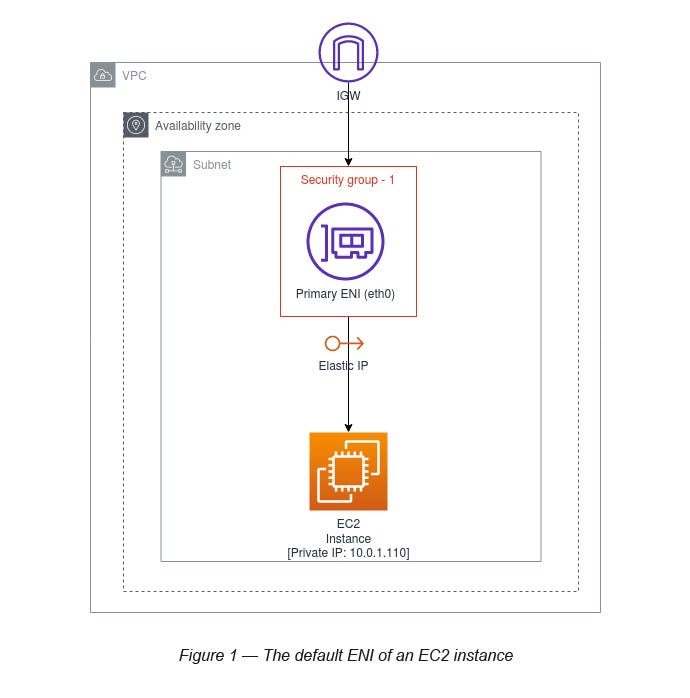
It’s what connects your EC2 instance to the VPC network.
Every EC2 instance automatically gets a primary ENI (eth0).
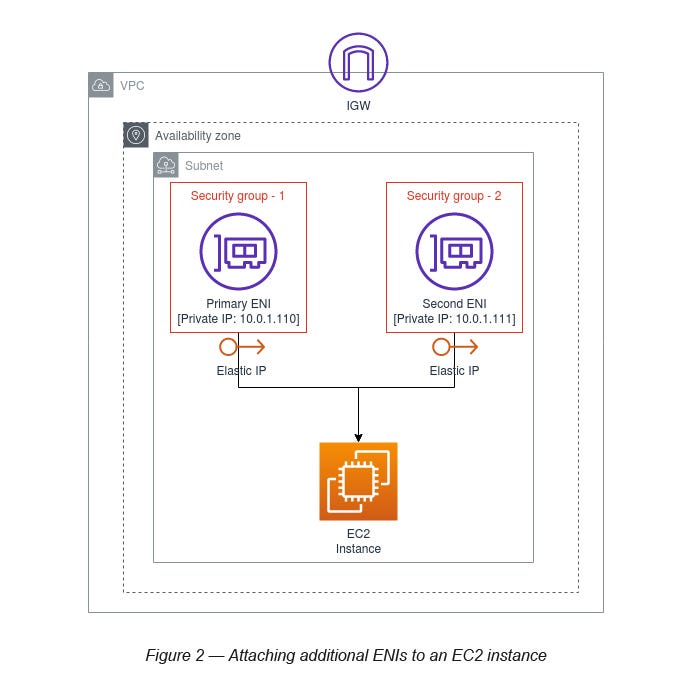
You can attach additional ENIs (eth1, eth2...) manually.
Each ENI can have:
1 Primary Private IPv4
0 or more Secondary Private IPv4s
1 Elastic IP per private IP (optional)
0 or more Public IPv4s (depends on settings)
Security groups
MAC address (useful for license-based software)
Key Features to Remember for the Exam
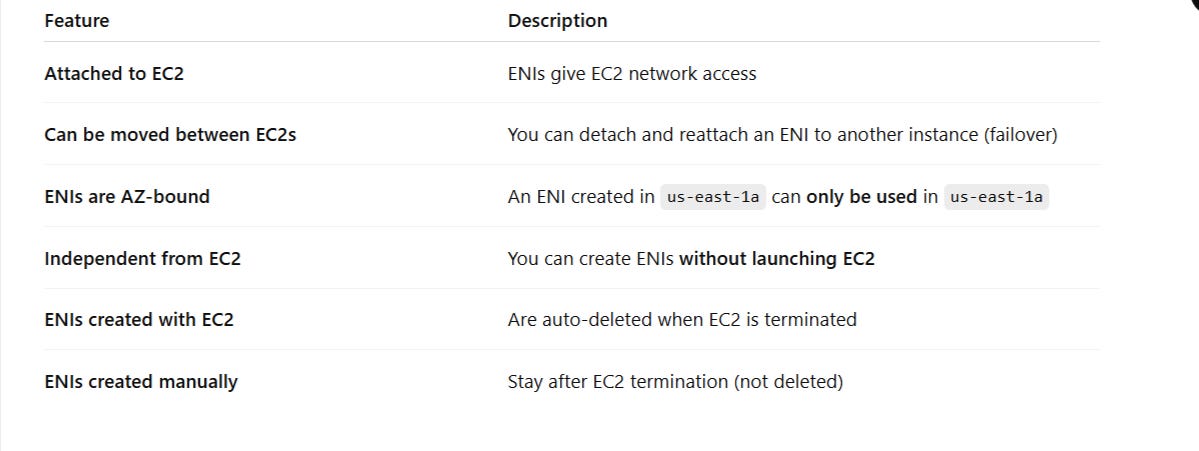
🔁 ENI Use Cases (Important for Exam)
Failover / High Availability
Move a secondary ENI from a failed EC2 instance to a standby EC2.
Keeps private IP and MAC address, useful for fast recovery and static IP use.
MAC-bound Licensing
Some software requires a static MAC address. Moving ENI keeps the license working.
Multi-Homed EC2s
EC2 with multiple ENIs to separate public traffic (eth0) from private backend traffic (eth1).
Security Isolation
Assign different security groups to different ENIs to control traffic paths tightly.
🚨 Important Behavior and Limits
Each instance type has limits on how many ENIs and IPs you can attach.
(E.g.,t2.microhas 2 ENIs, up to 2 private IPs per ENI)ENIs created with EC2 get deleted when instance is terminated (default behavior).
ENIs created manually do not get deleted unless you delete them yourself.You can only attach ENIs to instances in the same AZ.
🧠 Memorization Tips for Exam
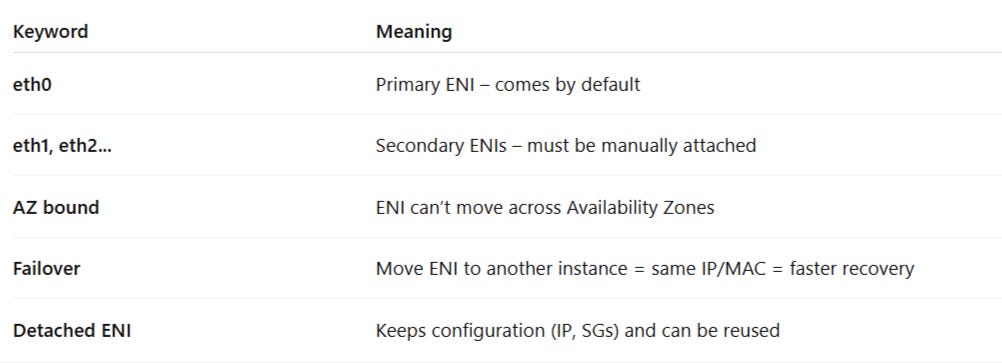
💡 What the Exam Might Ask You
📝 Sample Question Types:
How to achieve fast failover between EC2 instances with static private IP?
→ Use a secondary ENI that can be moved.What happens when you terminate an EC2 with an attached manually created ENI?
→ ENI remains.Can you move an ENI from us-east-1a to us-east-1b?
→ ❌ No, ENIs are AZ-bound.You need to attach a second ENI to an EC2 — what do you need to consider?
→ Instance type limits, subnet AZ, IP assignment, and security groups.
🔧 Pro Tip for Practice
Set up:
Launch 2 EC2s
Create a new ENI manually
Attach it to one instance
Then detach and move it to the second one
Observe how:
Private IP stays the same
MAC stays the same
Security groups stay the same
The ENI appears/disappears from the EC2’s networking tab
✅ Final Summary (for Flashcards or Notes)
ENI = virtual network card in VPC
Comes with IPs, MAC, security groups
Primary ENI = eth0 = default + mandatory
Secondary ENIs = eth1+ = optional, movable
ENIs are AZ-specific
ENIs help with failover, licensing, multi-homing
ENIs created with EC2 = auto-deleted
ENIs created manually = persist after termination